Here's how Famzil runs your family's week.
Bring in your calendars, add the rest without typing, and let Famzil tell you when to leave, what to bring and who's driving. Then handle dinner and chores in the same place.
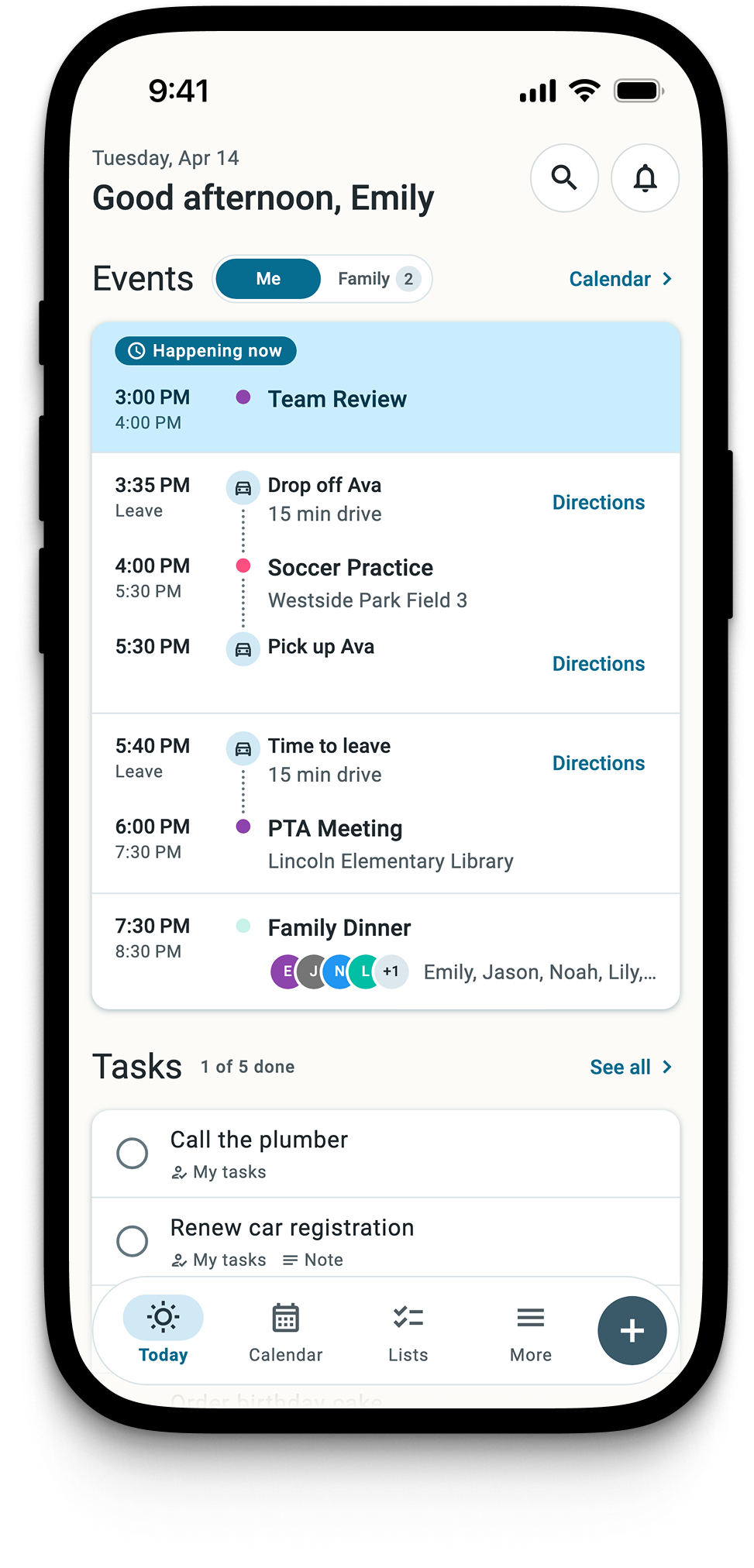
You're not bad at planning. The tools are bad at families.
Most calendars stop at “when.” A family also needs to know when to leave, what to bring and who's driving. Here's a week with Famzil, start to finish.
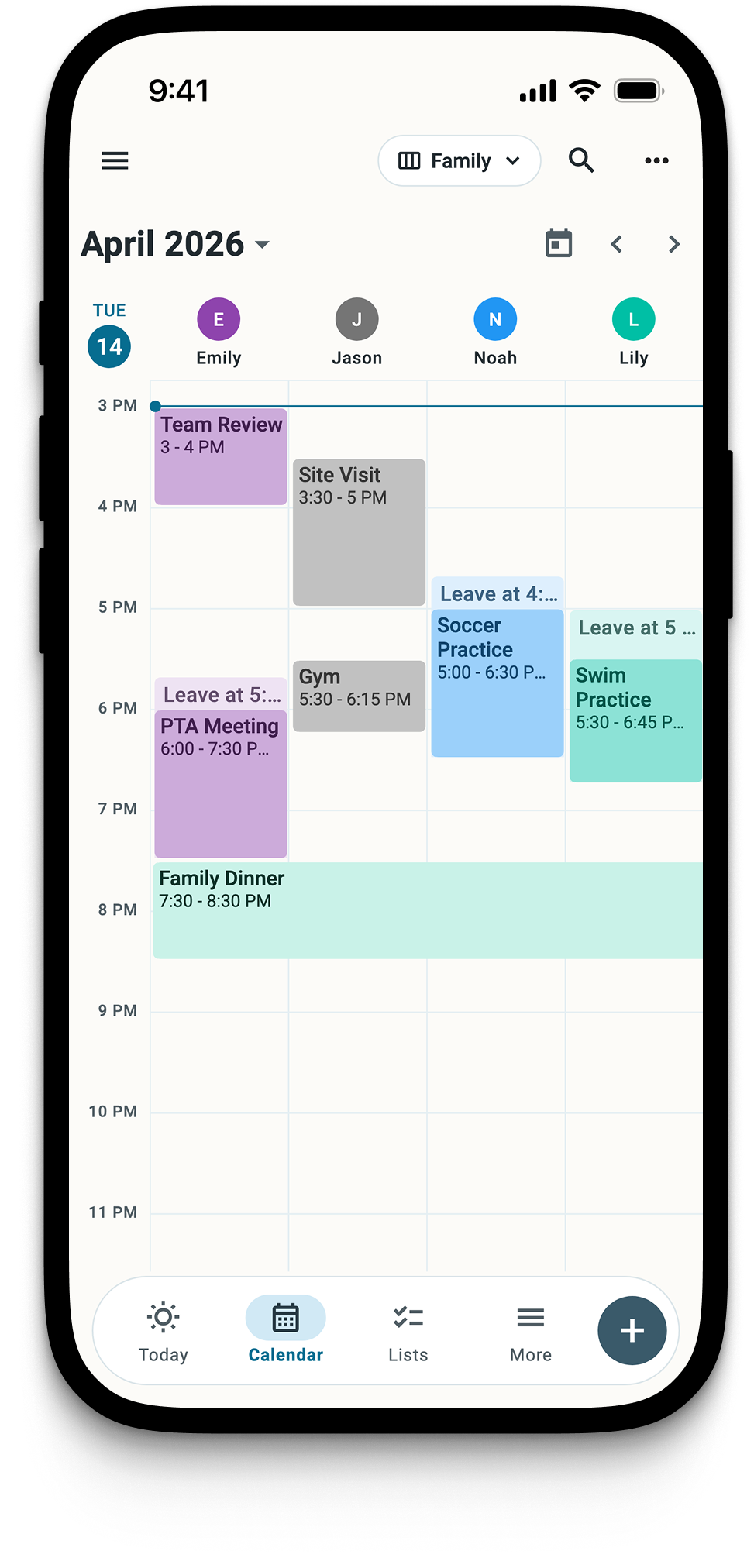
Bring the calendars you already have.
Google, Apple and Outlook, the school district and the team app all land in one color-coded family calendar. Your work calendar can come too, without showing the family every meeting.
- Works with any calendar that has an .ics link, including TeamSnap, GameChanger and LeagueApps.
- Each person gets a color, so you can tell whose day is whose at a glance.
- Choose who sees each calendar, all the way down to a single event.
Add the rest without typing it all.
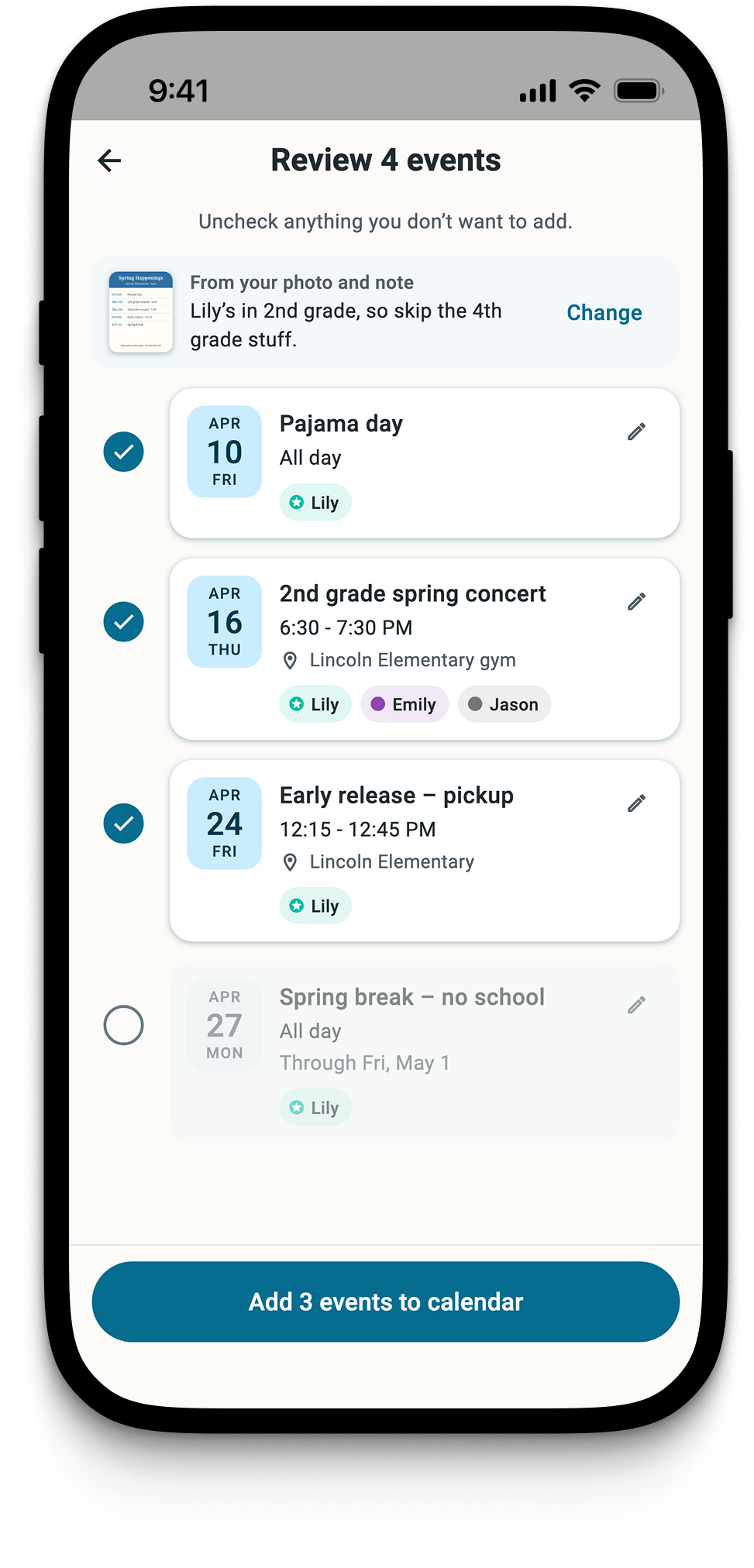
Describe an event in your own words, snap a photo of the flyer, or drop in the PDF of the season schedule. Famzil pulls out the details, and nothing is saved until you've reviewed it.
- Paste the coach's email: “Practice moved to Thursday 5:30 at Lincoln Middle School.”
- Take a picture of the swim meet flyer or the fridge whiteboard.
- Attach a PDF of a full season and keep only the events you want.
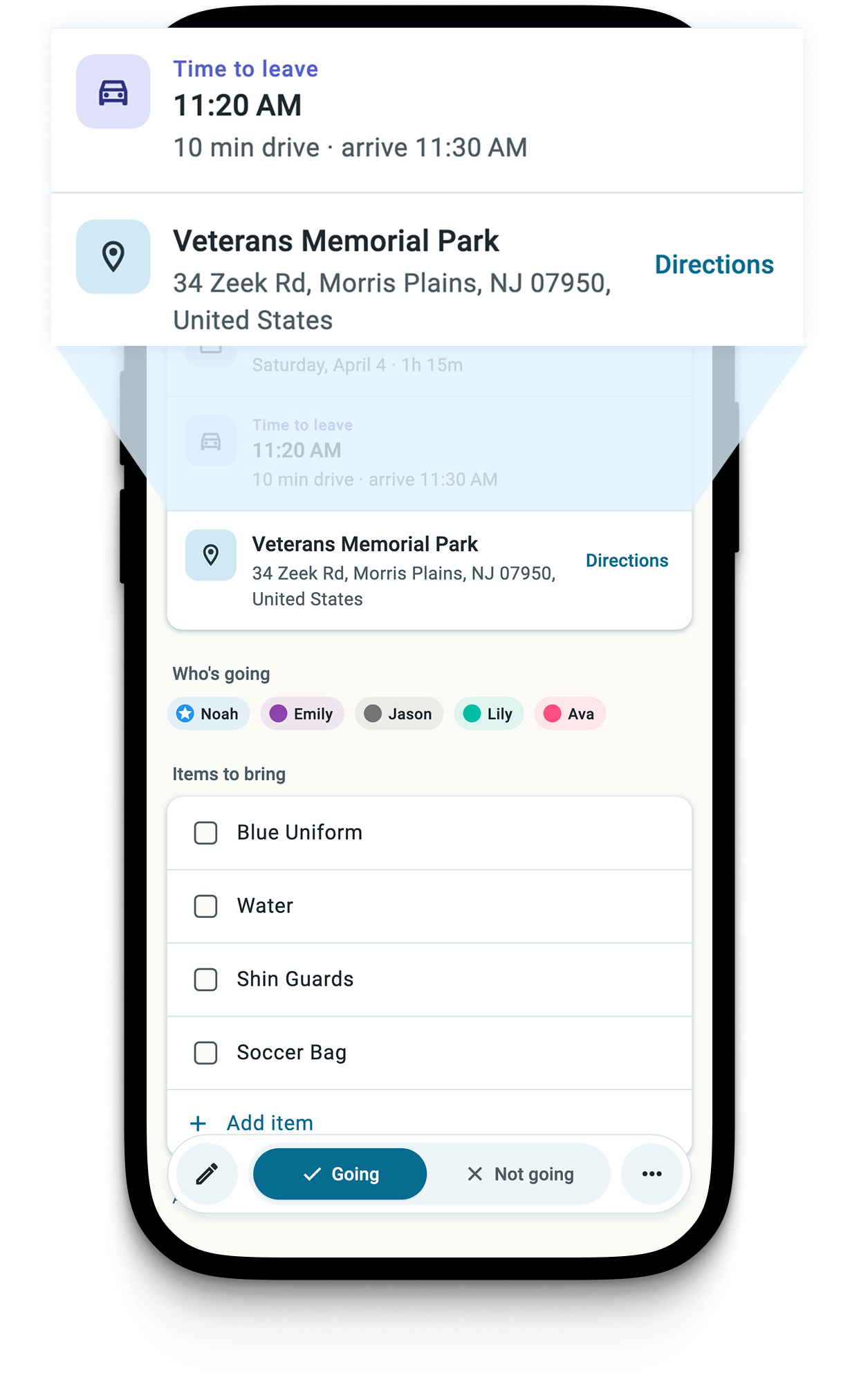
A calendar tells you when. Famzil also knows when to leave, what to bring and who's driving.
“When do we have to leave?”
Famzil knows where you're going, checks the traffic and tells you when to walk out the door, not just when the event starts.
- Estimates for driving, walking or cycling.
- Leave times show on Today next to every event.
“What do we need to bring?”
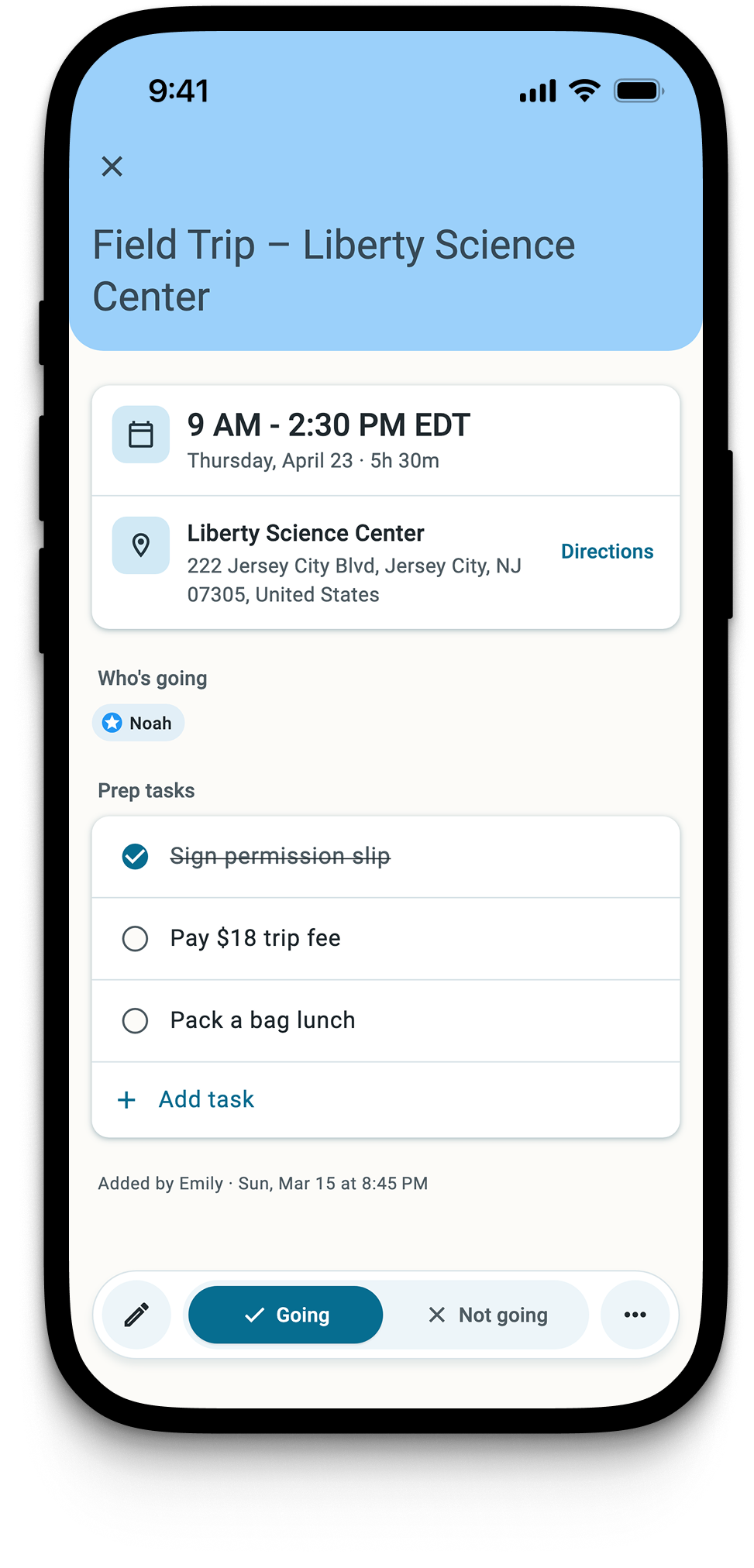
Put the cleats, the team snacks and the signed form on the event, along with the prep tasks that come before it. Everyone going sees the same list.
- Prep tasks like “pack the soccer bag” show up on Today and in Lists.
- A birthday party on the calendar comes with a nudge about the gift.
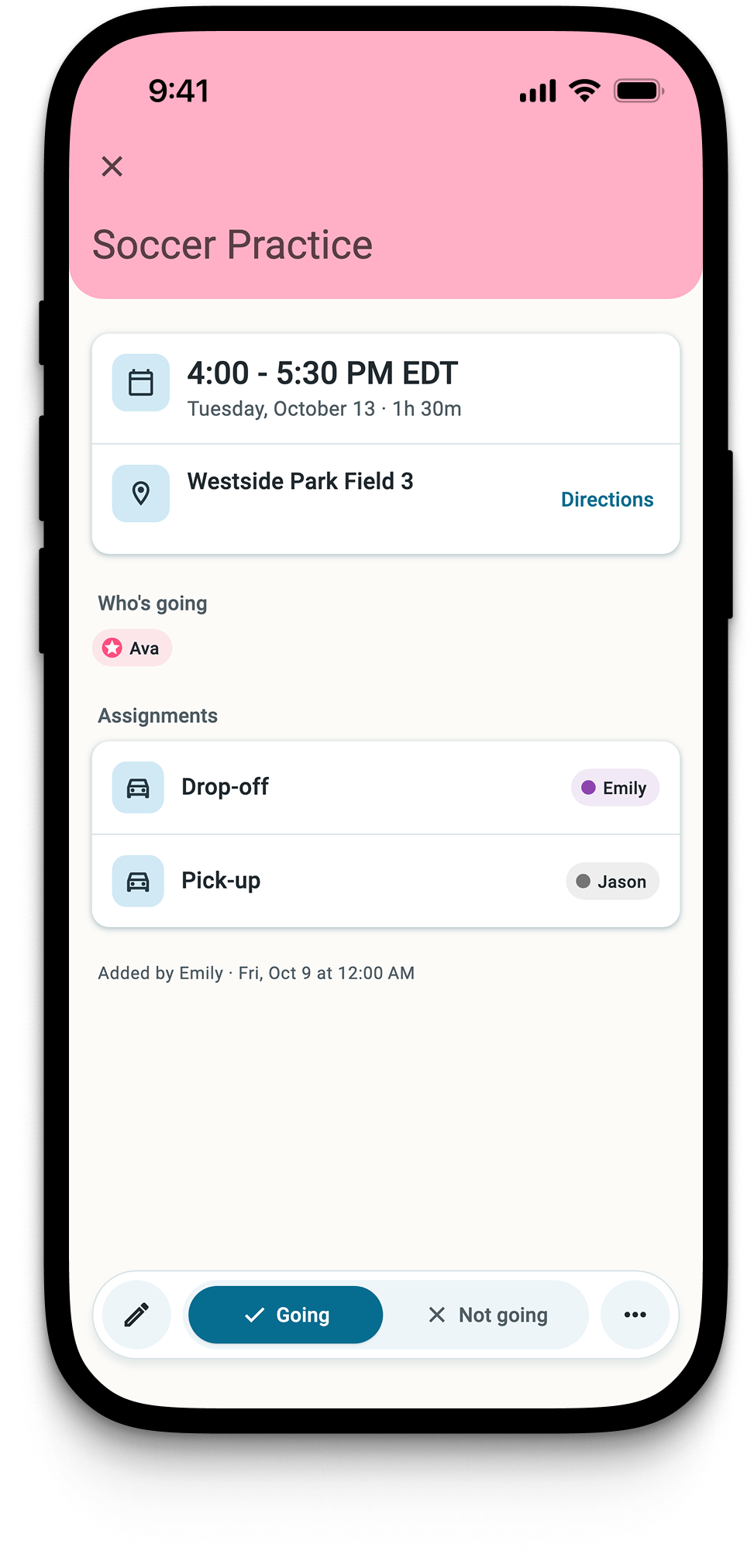
“Wait, who's picking up the kids?”
Name a driver for every drop-off and every pickup. Both parents are notified, and each driver sees the trip on their own Today. Grandparents and sitters can take one too.
- Drop-off and pickup can go to different people.
- When a drive is assigned or changes, the family hears about it.
“What's my day look like?”
Everyone opens Famzil to their own Today, with their events, their drives, when to leave and the tasks due today. Flip to Family to see everyone else's day.
- Kids get a Today too, on their own phone or on the family tablet with no login.
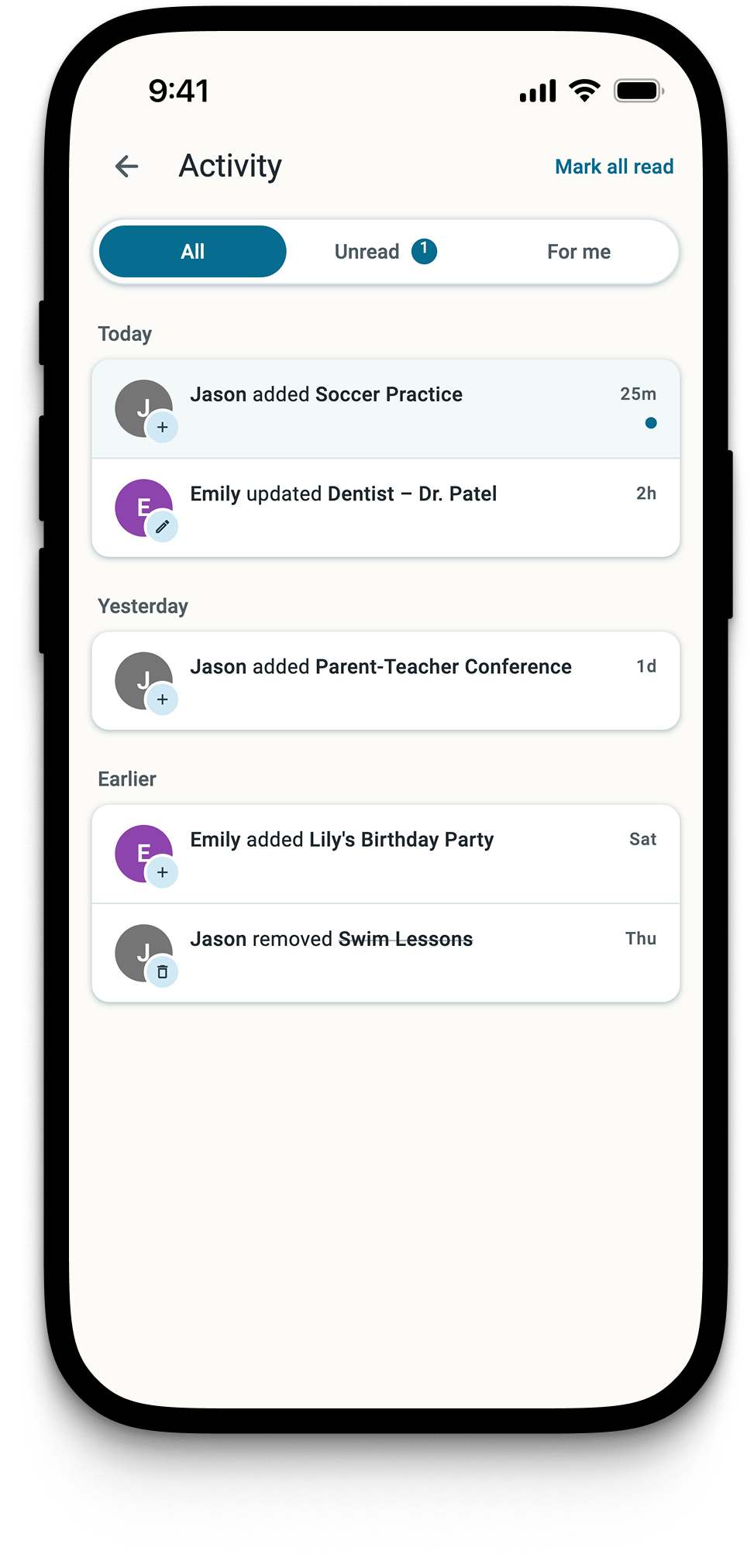
“Who changed this?”
When an event is added, moved or removed, the family hears about it and sees who did it. You also hear when someone adds to the grocery list or gives you a task.
“What's for dinner? Whose turn is the trash?”
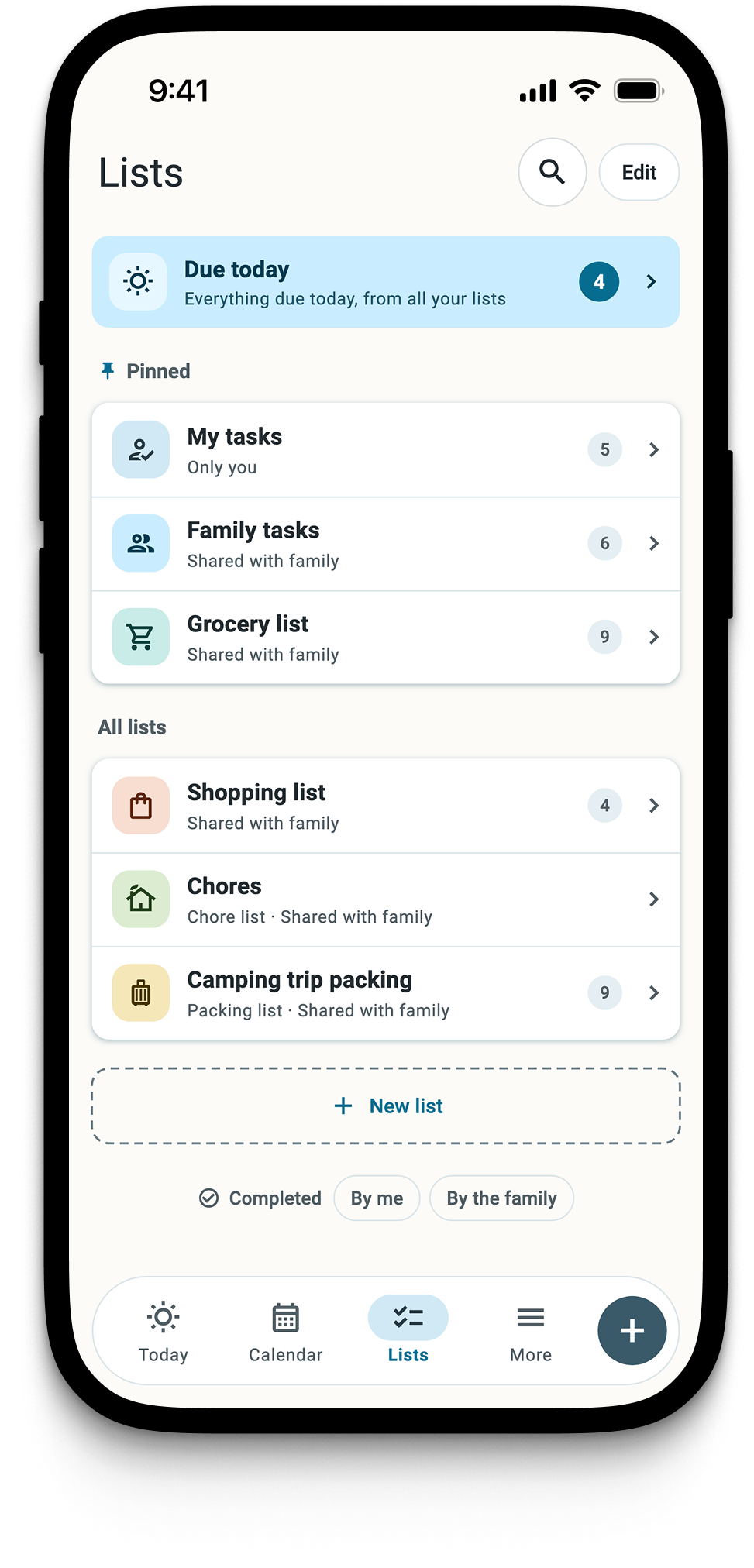
Plan it, then get it done. To-do lists, packing lists, a grocery list sorted by aisle, the week's dinners and a chore chart, all in the same app as the calendar.
- Share a list with the family or keep it private.
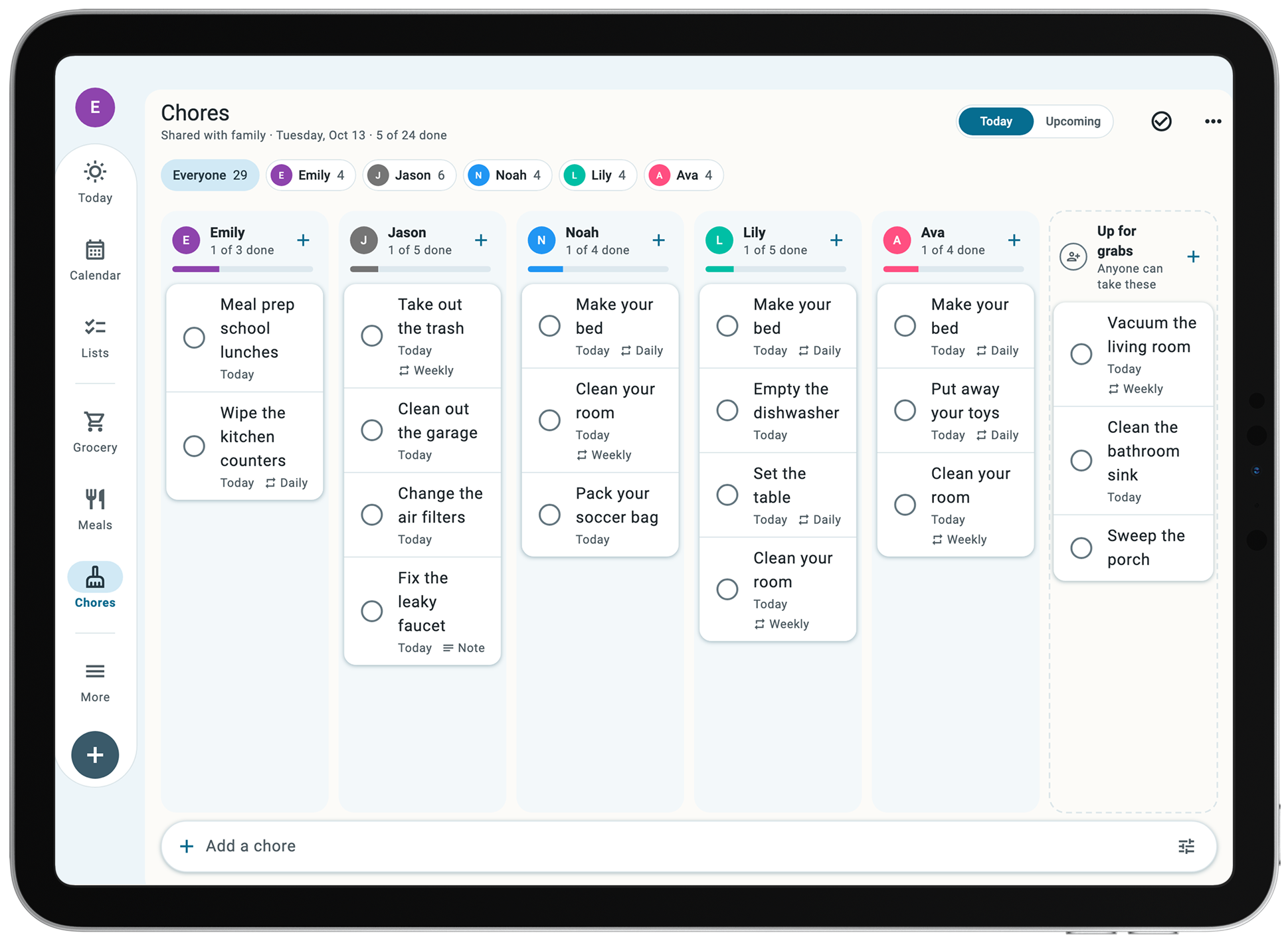
- Chores can go to someone or stay “Up for grabs.”
- Repeating tasks and chores set up the next one when you finish.
- Tasks due today show on Today next to your events.
A family board on the counter.
Put Famzil on a tablet you already own. Today's plan, the grocery list, the week's dinners, and a chore board with a column for every parent and child. Drag a chore onto someone's column to give it to them.
Bring the whole family along.
Famzil works best when everyone's in it. Setting up takes a few minutes.
-
Invite your partner
Send an invite from the app. They see the same plan the moment they join.
-
Add the kids
Kids with a phone get their own account. Younger kids get a profile on the family tablet, no login needed.
-
Add your helpers
Grandparents, nannies and sitters can join your family and take a pickup.

Built by a busy family, for busy families. Join us.
On iPhone, iPad, Android and the web. No credit card. No ads.
Still have questions?
Read the FAQs or send us a message.