“We already use Google Calendar. Do we have to start over?”
Keep the calendars you have. Famzil brings them together.
Google, Apple, Outlook, the school district and the team app all feed into one color-coded family calendar. Nobody retypes a thing.
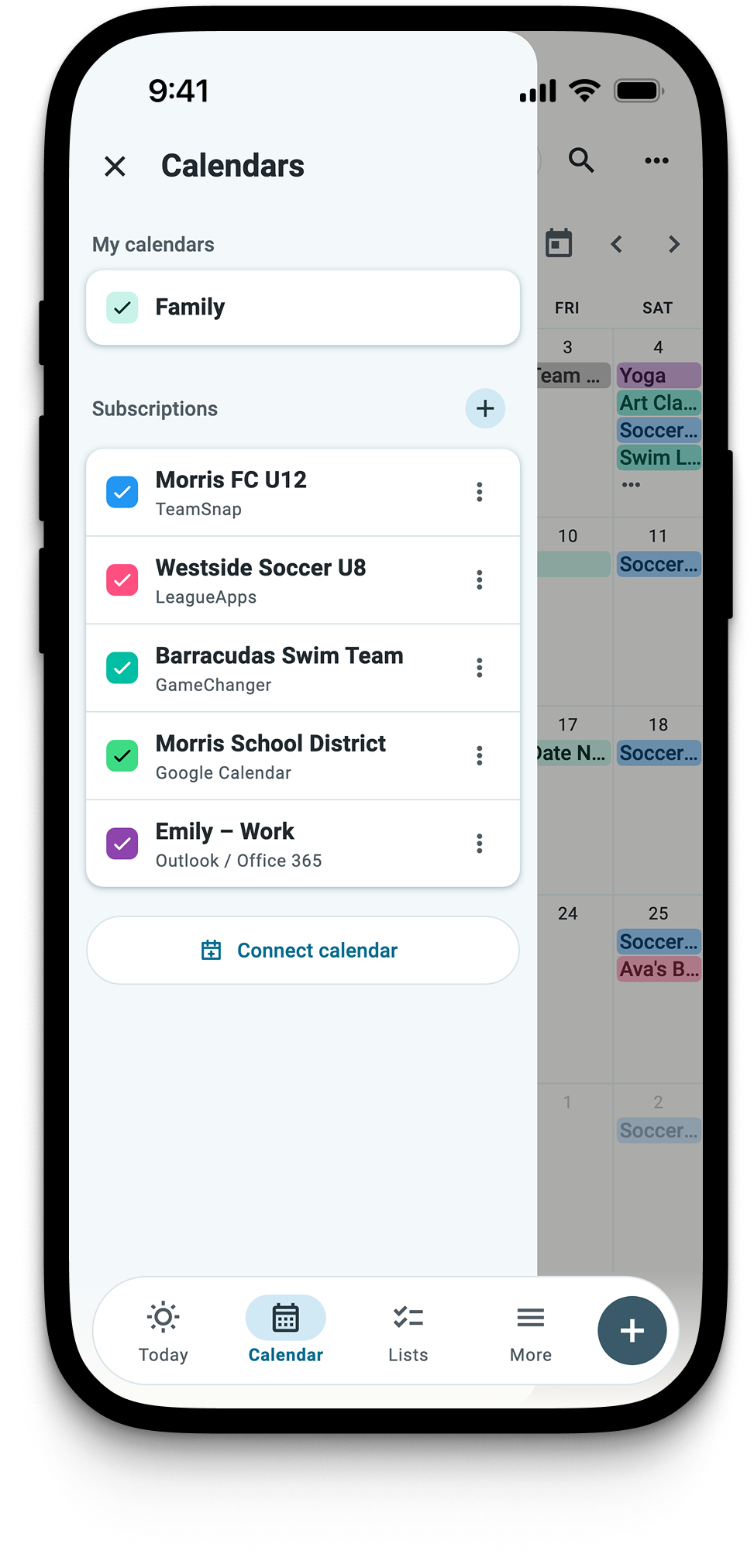
Here's how it works.
-
1
Find the calendar link
Most calendars can share a link that ends in .ics. Google, Apple, Outlook, TeamSnap, GameChanger, LeagueApps and most school sites all offer one.
-
2
Add it to Famzil
Paste the link, pick whose calendar it is, and choose who in the family can see it.
-
3
Let it stay up to date
Famzil checks each synced calendar about once an hour and brings in new and changed events.
What you get
Good to know: Sync is one-way. Events come into Famzil from the original calendar, and changes made at the source can take up to an hour to show up. To change a synced event's time or place, change it in the original calendar.
Works with any .ics calendar
Google Calendar, Apple Calendar, Outlook, GameChanger, TeamSnap, LeagueApps, school calendars and more. If it has an .ics link, Famzil can sync it.
Color-coded by person
Synced events show in the color of the family member they belong to.
Choose who sees it
Share a synced calendar with the whole family, just the parents, or keep it to yourself.
Pickups and leave times on synced events
Add a driver, items to bring or prep tasks to a game that came from the team app.
Related features
Get your family on the same page.
Famzil runs on iPhone, iPad, Android and the web.