“Can we have a family hub in the kitchen that just shows today?”
A family board on the counter, on a tablet you already own.
Put Famzil on the kitchen tablet. Today's plan, the grocery list, the week's dinners and the chore board, right where you make breakfast.
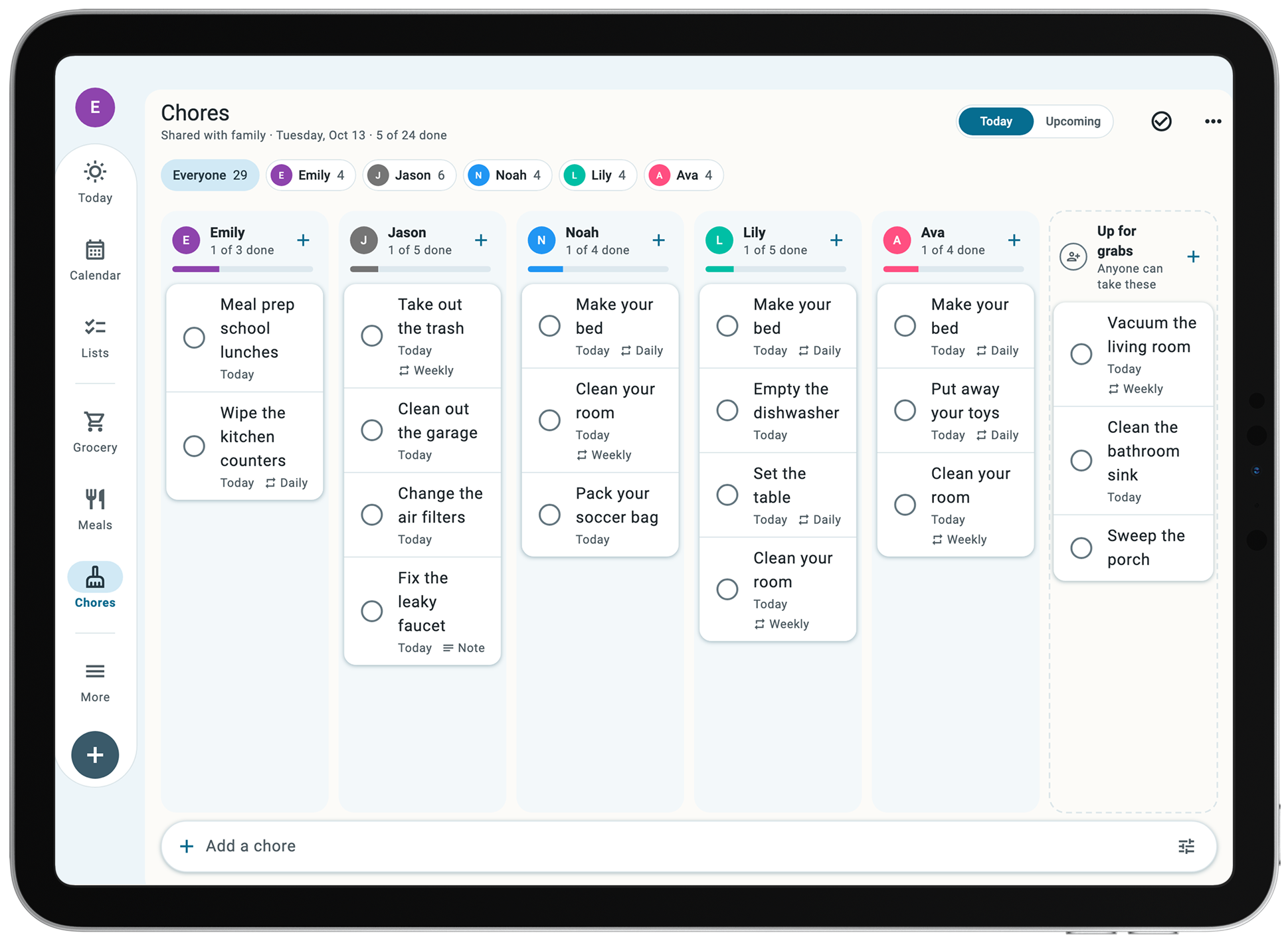
Here's how it works.
-
1
Open Famzil on a tablet
An iPad or Android tablet. The app switches to layouts made for the bigger screen.
-
2
Prop it up in the kitchen
The side bar has Grocery, Meals and Chores tabs, so the family's lists are one tap away.
-
3
Everyone uses it
Switch profiles from the tablet's profile picker. Kids don't need a login.
What you get
Chore board
Turn the tablet sideways and every parent and child gets a column, plus “Up for grabs.” Drag chores to give them out.
Grocery, side by side
The aisles of the grocery list shown next to each other.
The whole week's meals
The meal plan shows Monday to Sunday at a glance.
Profiles for everyone
A shared device can switch between family members.
More room for the family
Hide the list picker to fit more of the family on screen.
Related features
Get your family on the same page.
Famzil runs on iPhone, iPad, Android and the web.