“What's my day look like?”
Everyone gets their own Today.
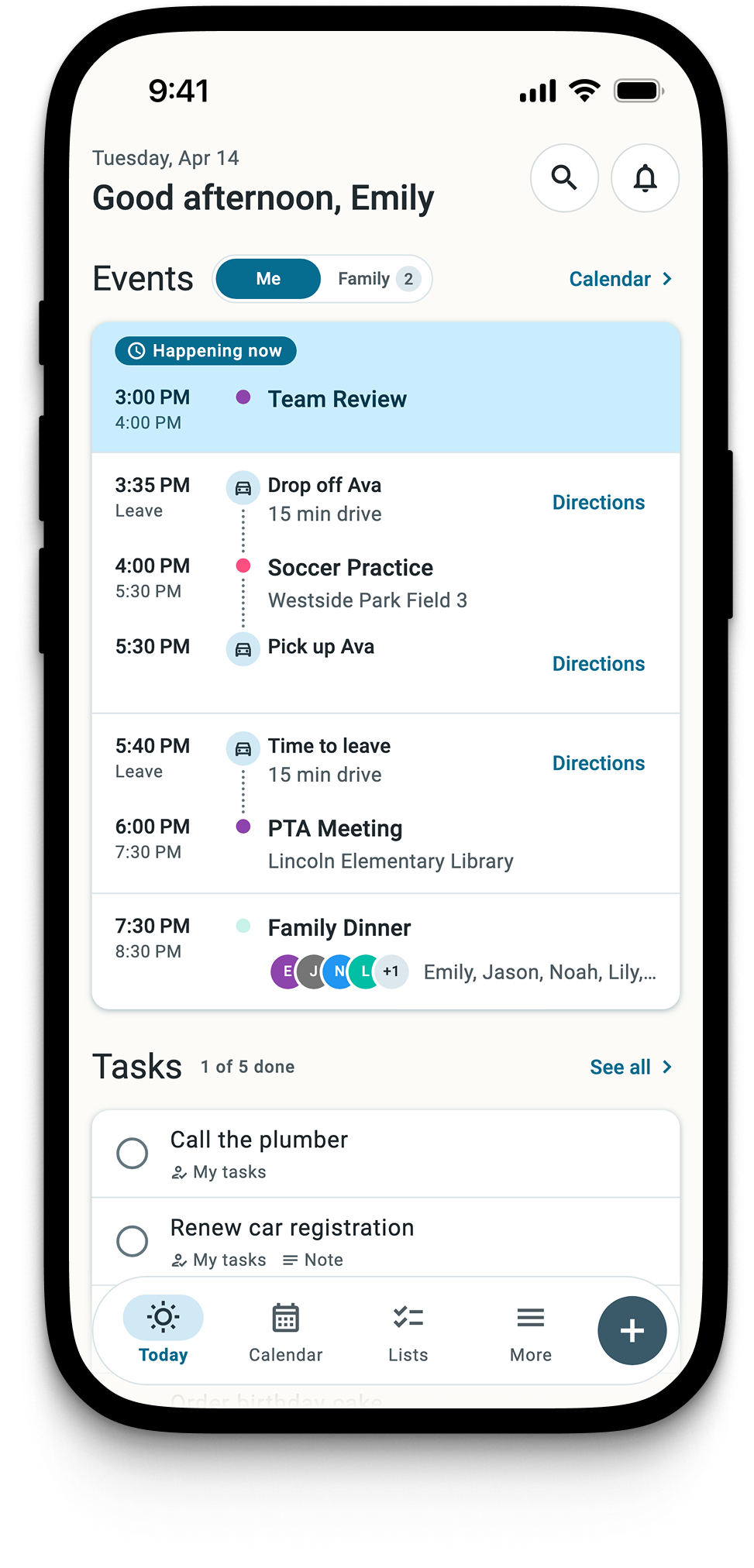
Open Famzil and see your day. Your events, your drives, when to leave, and the tasks due today. Flip to the family's day when you need the bigger picture.
Here's how it works.
-
1
Open the app
Today is the first thing you see, built around what's next.
-
2
See only what's yours
Your events, pickups and drop-offs, leave times, reminders, birthdays and tasks due today.
-
3
Switch to the family
Toggle between Me and Family to see what everyone else has going on.
What you get
Events and tasks together
Today's events and the tasks due today in one place.
What's next stands out
The next thing on your day is highlighted, with drop-off, pickup and leave-time details.
Only what's left
Finished tasks are hidden. You can still see what you finished, and what the family finished.
Add tasks right there
Add, edit and delete tasks without leaving Today.
Search
Search your events right from Today.
Kids get one too
Kids with their own account, or a profile on the family tablet, see their own day.
Related features
Get your family on the same page.
Famzil runs on iPhone, iPad, Android and the web.