Notifications and activity
“Who changed this?”
Everyone hears about changes, not just the person who made them.
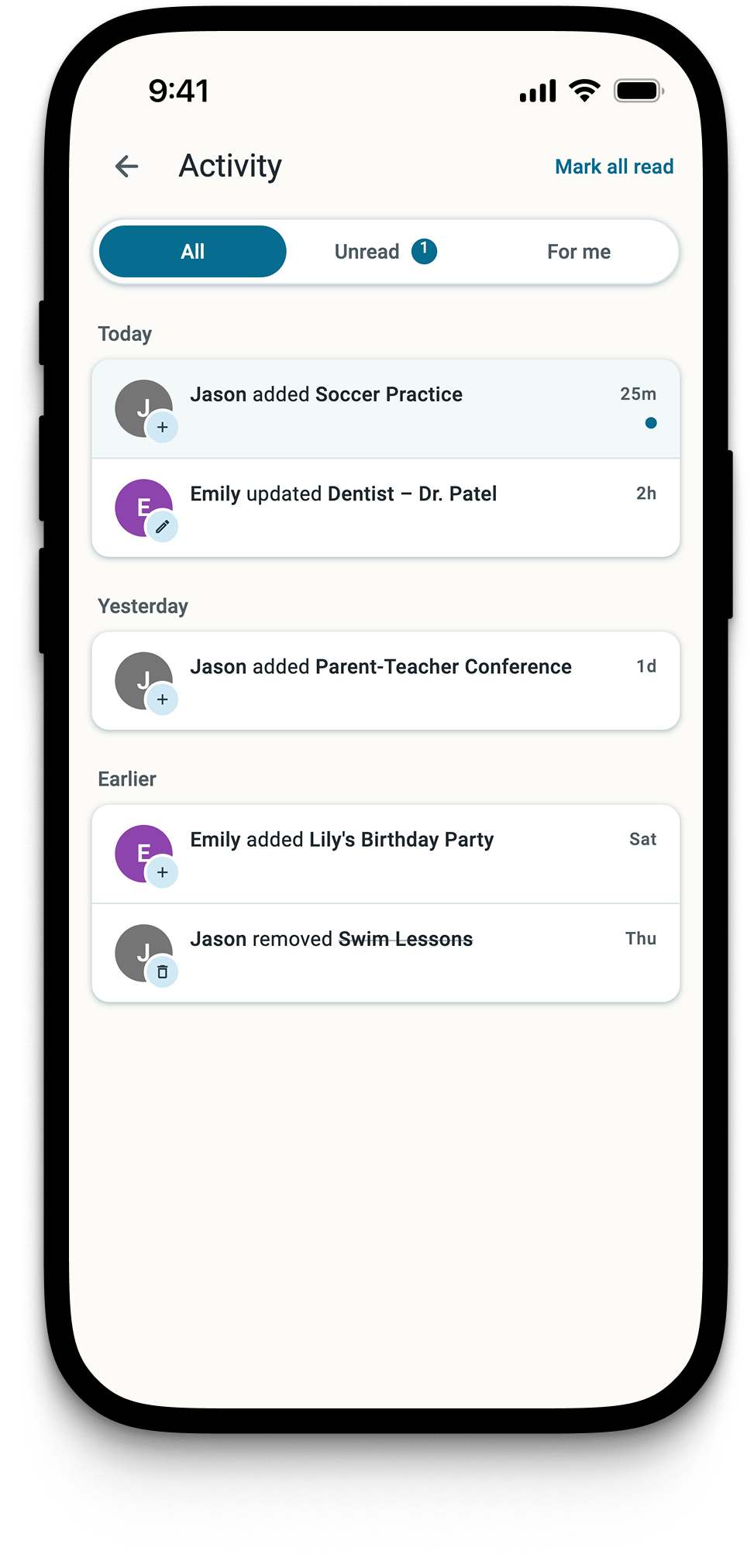
When an event is added, moved or removed, the family knows, and sees who did it. When someone adds to the grocery list or gives you a task, you hear about that too.
How it works
Here's how it works.
-
1
Someone makes a change
Adds a game, moves a practice, gives you a pickup.
-
2
The family is notified
A push notification goes to the people it affects.
-
3
See the history
The notifications screen shows what was added, updated or removed, and by whom.
The details
What you get
Calendar changes
See what your family added, updated or removed from your shared calendar.
Who did it
Every change shows who made it.
Grocery and task alerts
Get notified when someone adds an item to a grocery list or assigns you a task.
Pickup assignments
When you're given a drive, you hear about it.
Works well with
See how it all fits together
Related features
Get your family on the same page.
Famzil runs on iPhone, iPad, Android and the web.