iOS Early Access
Be among the first families to try Famzil. As an early access member, you'll help shape the app and get exclusive perks in return.
Program Perks
Early Features
Try new features before anyone else and help shape the product with your feedback.
Lifetime Premium
Get free premium access forever as a thank you for joining early.
Make Every Day Run Smoother
Everything in One Place
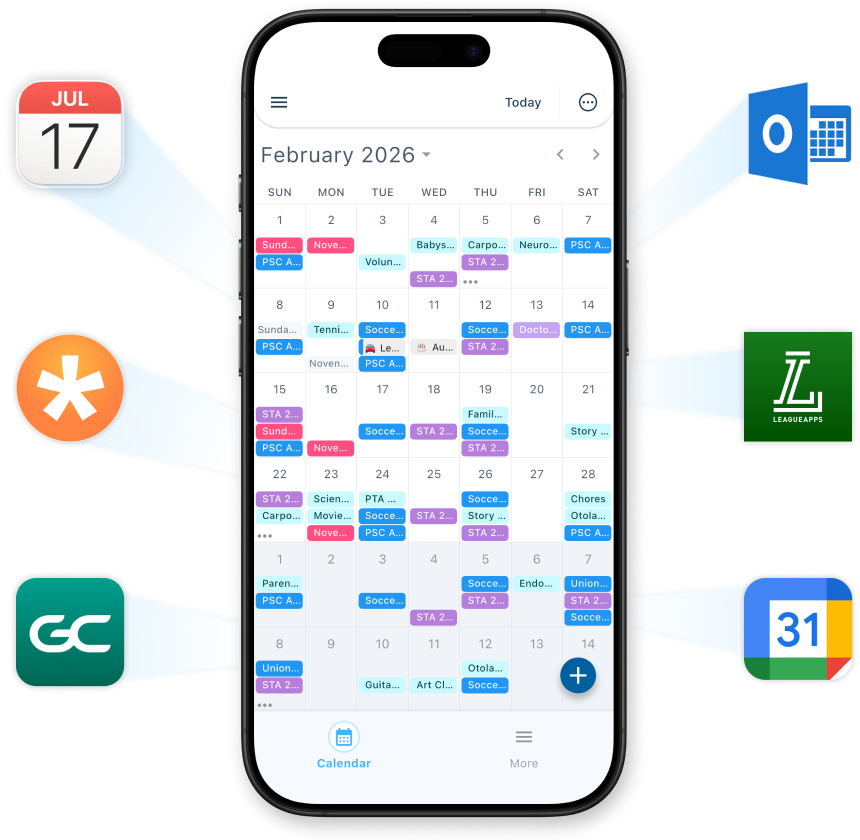
All your calendars, synced and unified
Connects to Google, Apple, school, and sports calendars like GameChanger or TeamSnap. One view for the whole family — no more switching apps or double-entry.
Smarter Coordination
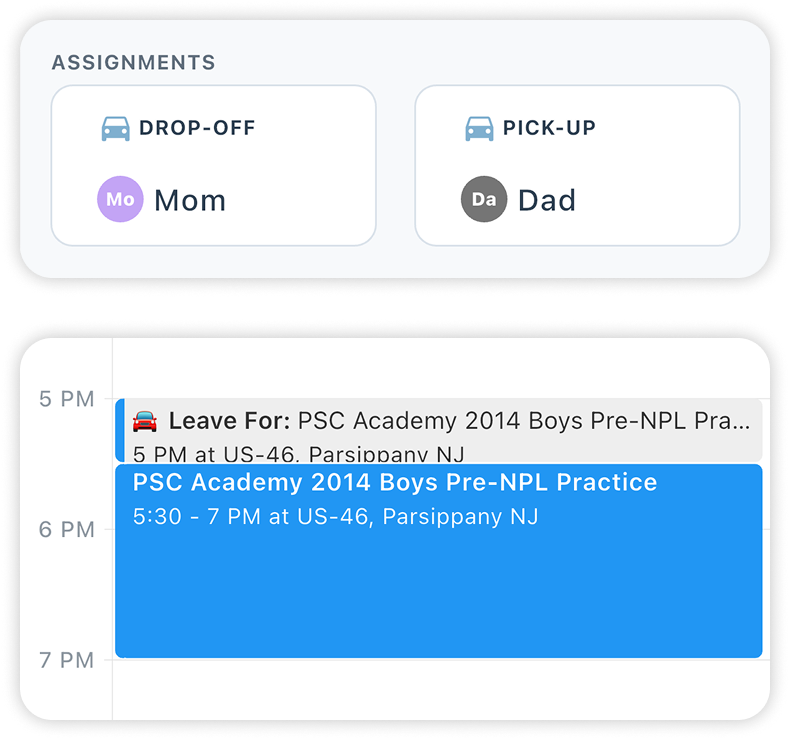
Know Who's Doing What
Assign drop-offs and pickups so both parents are on the same page. No more "I thought you were getting them?" moments.
Built-In Travel Time
Add travel times for events so family members are notified exactly when it's time to leave. (Automatic traffic times coming soon)
Smart Reminders
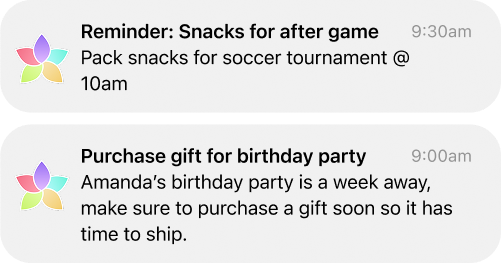
Timely Reminders That Keep Everyone on Track
Never wonder "Did I tell them?" again. Famzil sends the right reminder to the right person at the perfect time, whether it's a nudge to leave early for traffic or a heads-up about tomorrow's early practice. Your family stays coordinated without the constant check-ins.
Coming Soon
We're working on even more ways to simplify family coordination.
Items to Bring
Add what needs to be packed for each event — snacks, gear, forms, and more.
Tasks
Assign and track family to-dos so nothing falls through the cracks.
AI Event Import
Snap a photo of a printed calendar, birthday invite, or flyer and Famzil adds events for you to review.
iOS Widget
See your family's schedule at a glance right from your home screen.
How to Get Started
Get set up in just a few steps
Download TestFlight
TestFlight is Apple's app for trying pre-release apps. Install it from the App Store.
Get TestFlight on the App StoreOpen the Famzil invitation link
Tap the button below on your iPhone to open the invite in TestFlight.
Open TestFlight InviteTap "Accept" and install Famzil
Once TestFlight opens, accept the invitation and install the Famzil app.
Sign up for an account
Open Famzil and create your account to get started.
Add your family
Add your partner and kids to your family, then share the app-generated invites so everyone can join.
Need Help or Have Questions?
Email us to ask questions or book a Zoom call, and we'll guide you through setup to get your family started.